
In This Article
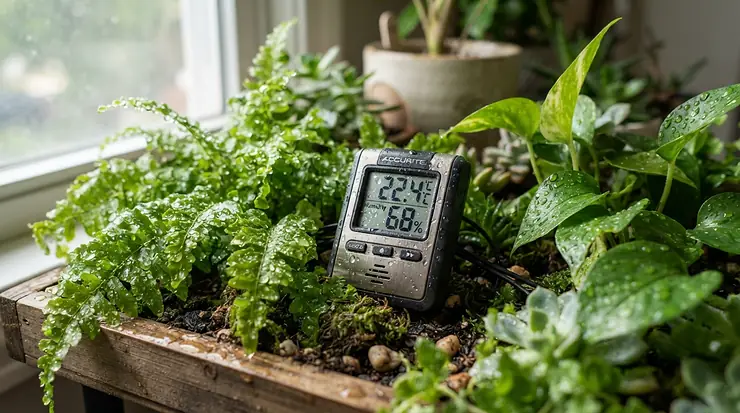
A greenhouse can go from tropical to tundra in one clear November night. That’s why a greenhouse thermometer with remote monitoring app earns its spot on the shelf. It is a small battery-powered sensor that measures temperature (and usually humidity) inside your greenhouse and sends the readings to your phone. Many models also push an alert the moment conditions drift outside your limits.
Canadian growers know the drill. A bright March afternoon cooks the seedlings. Then a clear, cold night undoes the day’s work before you’ve finished supper. You can’t stand guard, but a sensor can. Good relative humidity tracking matters just as much, because warm air holds more moisture than cold air, so humidity numbers swing as the temperature does.
This guide compares seven real, currently sold products. Some are Wi-Fi sensors, some use Bluetooth, and one uses long-range radio. We look at how each handles wireless sensors, smartphone app design and real-time alerts, and what the specs mean once frost is forecast. Prices are ranges in Canadian dollars, so check current pricing before you buy.
Quick Comparison Table: Greenhouse Thermometer with Remote Monitoring App Options
| Product | Connection | Alerts | Best For |
|---|---|---|---|
| Govee H5179 | Wi-Fi (2.4 GHz) + Bluetooth | App push | Budget starters |
| SensorPush HT.w (with gateway) | Bluetooth to Wi-Fi gateway | App push | Accuracy and damp conditions |
| Temp Stick | Direct Wi-Fi | Text, email, push | Frost insurance |
| YoLink Temperature & Humidity Sensor | LoRa to hub | App, email, SMS | Big yards, thick walls |
| Ecowitt GW1200 + WN31 | RF sensors to Wi-Fi gateway | App/cloud (verify alert options) | Multi-zone setups |
| ThermoPro TP357 | Bluetooth only | App notifications | Min-max logging on a tight budget |
| Inkbird IBS-TH3 Plus | Wi-Fi (2.4 GHz) | App push | Rechargeable simplicity |
Read the table by asking one question first: will the sensor reach the internet on its own? Wi-Fi and gateway models like the Govee H5179, Temp Stick and SensorPush HT.w can alert you anywhere with a signal. The ThermoPro TP357 only talks to a phone that is nearby, so it is a logger, not a guardian. If you want the cheapest real peace of mind, start with the Wi-Fi group.
💬 Just one click — help others make better buying decisions too!😊
Top 7 Greenhouse Thermometers with Remote Monitoring App: Expert Analysis
1. Govee H5179 WiFi Thermo-Hygrometer — best budget Wi-Fi starter
The Govee H5179 is the “I just want alerts on my phone” pick. It connects straight to your 2.4 GHz Wi-Fi with no hub, and it also pairs over Bluetooth.
The listed accuracy is ±0.3°C (±0.54°F) for temperature and ±3% for humidity, and it refreshes about every two seconds. In practice that is tight enough to catch a 2°C dip before it becomes a problem. The sensor runs on three AA batteries, listed at roughly seven months, and the app stores about two years of exportable history. That history is handy for spotting seasonal patterns.
Based on the spec sheet, this is the best fit for a first greenhouse, a lean-to or a cold frame near the house. Two cautions apply. The sensor is rated for indoor use, so keep it away from drips and direct condensation. And it does not support 5 GHz Wi-Fi.
Reviewers commonly praise the quick setup and a clear app. One reviewer reported readings sitting several degrees off at first until the unit settled, so compare it to a trusted thermometer in week one.
Pros:
- ✅ Hub-free Wi-Fi, so it’s simple to set up
- ✅ Two years of exportable history in the app
- ✅ Easy on the budget, especially in multi-packs
Cons:
- ❌ Indoor-rated, so you must shield it from moisture
- ❌ 2.4 GHz Wi-Fi only
Expect a price around C$70-C$100 for a two-pack. For small greenhouses, that makes it strong value.
2. SensorPush HT.w with Wi-Fi Gateway — most accurate water-resistant sensor
If greenhouse humidity is relentless, the SensorPush HT.w is built for the abuse. It is a tiny, water-resistant, 23 g Bluetooth sensor listed at ±0.2°C and ±2% RH. That is among the tightest accuracy in this roundup.
The catch is the second purchase. The sensor talks Bluetooth, so for remote monitoring away from home you add SensorPush’s Wi-Fi gateway. That extra box also improves battery life, which is listed at one to two years. Bluetooth range is quoted around 100 m (about 325 ft) in open air, though walls and wet foliage shorten it.
Here is what the spec sheet won’t tell you: the sensor takes a few minutes to stabilise after a sudden change, according to one buyer. It is a monitor, not a stopwatch. Independent testing by a weather-instrument site scored it 83 out of 100.
Reviewers describe the gateway pairing as the difference between “decent” and “exceptional”. One owner reported a three-year-old unit that stopped reconnecting, so keep your purchase paperwork.
Pros:
- ✅ Class-leading accuracy for temperature and humidity
- ✅ Water-resistant body suits damp greenhouses
- ✅ Long battery life, around one to two years
Cons:
- ❌ Needs a separate gateway for remote access
- ❌ Higher total cost than Wi-Fi-only rivals
The sensor sits around C$80-C$110, and the gateway adds roughly C$130-C$180. It is worth it when accuracy matters.
3. Temp Stick WiFi Temperature & Humidity Sensor — texts you when frost arrives
Temp Stick is the one to choose if you want a text message at 2 a.m. instead of a soft app ping. It joins your Wi-Fi directly, needs no hub, and sends alerts by text, email and push with no subscription.
It runs on two AA lithium batteries and is listed at around a year or more of life. Lithium cells matter because they handle cold far better than alkaline, a real plus in a Canadian shoulder season. The listed temperature accuracy is ±0.4°C, with humidity at ±4% RH below 80%. Look closely at that fine print: greenhouse humidity often sits above 80%, where the humidity reading is less reliable. Treat the humidity figure as a trend, not a lab number.
On analysis alone, this is the “don’t lose the tomatoes” pick. One grower reviewer reported a greenhouse about 200 feet from the house connecting fine. At least one review site has stepped back from recommending the original model, so check recent reviews of the current version before buying.
Pros:
- ✅ Text and email alerts with no subscription fees
- ✅ No hub or gateway to install
- ✅ Three-year warranty on the listing
Cons:
- ❌ Humidity accuracy weakens in very damp air
- ❌ Priciest single sensor in this guide
Expect around C$200-C$230. For critical frost protection, the premium is defensible.
4. YoLink Temperature & Humidity Sensor with Hub — longest range across the yard
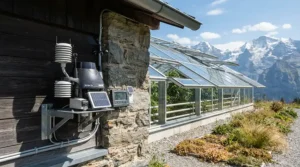
When your greenhouse sits at the far end of the property, YoLink solves what Wi-Fi can’t. Its sensors use LoRa radio to talk to a small hub, with open-air range listed at about a quarter mile.
You get app, email and SMS alerts. The kit listing mentions 20 free SMS alerts a month, and an iOS “Critical Alert” option can break through silent mode. Battery life is listed at around two years. Different listings quote different operating temperature ranges, so confirm the spec for the exact sensor you buy.
Here is the trade-off buyers should weigh. The standard sensor reports on a slow schedule to save power, so some reviewers note it can take up to an hour to refresh unless conditions change meaningfully. That suits slow-moving monitoring but is less ideal for fast swings. The X3 version reports as often as every ten minutes and has an on-board screen.
Owners consistently praise the signal through metal and walls. One greenhouse owner switched to YoLink after another brand’s sensor kept disconnecting.
Pros:
- ✅ Quarter-mile LoRa range beats typical Wi-Fi
- ✅ App, email and SMS alerts with critical-alert option
- ✅ Long battery life, around two years listed
Cons:
- ❌ Requires a hub plugged into your network
- ❌ Standard sensor updates slowly to save power
A hub plus two sensors runs around C$110-C$180. That is fair for tricky layouts.
5. Ecowitt GW1200 with WN31 Sensors — best multi-zone value
The Ecowitt GW1200 is a tinkerer’s dream. The gateway has its own built-in temperature, humidity and pressure sensor. You then add Ecowitt WN31 (also sold as WH31) sensors for other zones, and the system supports up to eight multi-channel sensors.
It reports to the Ecowitt app and cloud over 2.4 GHz Wi-Fi, and the sensors transmit on 915 MHz in North America. That means one cheap gateway covers your bench, your north bed, your cold frame and the outdoor air. Buyers on retail sites note the WN31’s readings tracking reference thermometers within roughly 0.1°C and 2% humidity, though that is anecdotal, so verify with your own comparison.
The honest caveat is polish. The app is functional rather than slick, and alert options should be confirmed in the current app before you rely on them for frost protection. Many owners connect it to Home Assistant for extra automation.
Pros:
- ✅ Supports up to eight multi-channel sensors
- ✅ Very low cost per extra zone
- ✅ Standard AA batteries and a flexible ecosystem
Cons:
- ❌ App is less polished than consumer-first rivals
- ❌ Alert setup needs checking before you rely on it
Expect roughly C$45-C$65 for the gateway and C$15-C$35 per additional sensor. For multi-zone value, nothing here touches it.
6. ThermoPro TP357 — cheapest min-max logging (Bluetooth only)
The ThermoPro TP357 (the brand is now marketed as TempPro) is the budget logger. It uses Bluetooth 5.0 with a listed 260 ft (80 m) open-air range and a 10-second refresh. It runs on a single AAA battery, shows readings on its own LCD, and mounts with a magnet.
Its standout is the stored max/min record. Listings quote max/min records held for up to a year, so a quick app check shows your coldest overnight low without scrolling through graphs. The listed range is −20°C to 60°C, which covers most greenhouse use.
Here is the limit: there is no Wi-Fi. If you’re at work 30 km away, it cannot message you. Treat it as a logger or a second opinion, not a frost guardian. If you want built-in high/low alarms, check the ThermoPro TP358, whose listings highlight them.
Reviews run strongly positive, with well over ten thousand ratings on one retail listing averaging in the mid-4-star range. Buyers like the readable display and magnet mount.
Pros:
- ✅ Max/min records at a glance
- ✅ Very low price per sensor
- ✅ Readable LCD with magnet mounting
Cons:
- ❌ Bluetooth only, with no away-from-home alerts
- ❌ Range shrinks fast through wet foliage and glazing
Expect around C$15-C$30. It’s a bargain companion sensor.
7. Inkbird IBS-TH3 Plus WiFi — USB-rechargeable and pocket-friendly
The Inkbird IBS-TH3 Plus skips replaceable batteries entirely. It has a USB-rechargeable 500 mAh cell and a small LCD, and it connects to 2.4 GHz Wi-Fi. The listed accuracy is ±0.3°C and ±3% RH, with ±10 offsets for calibration.
Battery life is the thing to understand. At the default 60-minute recording interval it lasts roughly three months, and about six months at 120 minutes. A spring-to-fall greenhouse means plugging it in a few times a season. It is also not waterproof, and Inkbird does not recommend fridge or freezer use, so mount it under cover.
Buyers praise easy logging for before-and-after comparisons, such as insulation tweaks. The common complaint is the app: some reviewers report crashes and connection hiccups. A listing average sits in the high-3-star range, so go in with eyes open.
Pros:
- ✅ USB-rechargeable, with no battery shopping
- ✅ Inexpensive Wi-Fi remote monitoring
- ✅ ±10 calibration offsets for temperature and humidity
Cons:
- ❌ Three-month battery at default intervals
- ❌ App stability gets mixed reviews
Expect roughly C$35-C$55. It’s a decent budget second sensor.
Spec Comparison: Top 7 at a Glance
| Product | Listed Accuracy (Temp / RH) | Power | Range Type | Price Range (CAD) |
|---|---|---|---|---|
| Govee H5179 | ±0.3°C / ±3% | 3 AA | Wi-Fi | C$70-C$100 (2-pack) |
| SensorPush HT.w | ±0.2°C / ±2% | Coin cell | Bluetooth + gateway | C$80-C$110 + gateway |
| Temp Stick | ±0.4°C / ±4% (below 80% RH) | 2 AA lithium | Wi-Fi | C$200-C$230 |
| YoLink Temp & Humidity | Around ±0.3°C (listing) | AAA | LoRa + hub | C$110-C$180 (hub + 2) |
| Ecowitt GW1200 + WN31 | Spot-check reviews close; verify spec | AA | RF to gateway | C$45-C$65 + C$15-C$35 each |
| ThermoPro TP357 | Check the spec sheet | 1 AAA | Bluetooth only | C$15-C$30 |
| Inkbird IBS-TH3 Plus | ±0.3°C / ±3% | USB rechargeable | Wi-Fi | C$35-C$55 |
The SensorPush HT.w wins on raw accuracy, but the Govee H5179 gets you 90% of the usefulness for a fraction of the cost. If your growing space is a sprawling yard, the YoLink Temperature & Humidity Sensor earns its extra hub. For frost alerts you can’t sleep through, the Temp Stick pays for itself in one saved crop.
How to Choose a Greenhouse Thermometer with Remote Monitoring App
Picking well comes down to a short checklist. Work through these in order.
- Decide how far away you will be. If you only need alerts at home, Bluetooth is enough. If you want alerts while at work or travelling, you need Wi-Fi, a gateway, or LoRa.
- Test your signal where the sensor will live. Glass, metal framing and wet foliage weaken Wi-Fi. A greenhouse at the end of the yard may need a LoRa hub or a Wi-Fi extender.
- Match alert style to the stakes. Frost-sensitive seedlings deserve text or critical alerts, while a hobby bench is fine with push notifications.
- Check humidity accuracy in damp air. Many sensors are rated only up to 80% RH, yet greenhouse nights often exceed it.
- Plan for batteries in the cold. Lithium AAs or a rechargeable cell beat alkaline in winter.
- Read the app, not just the box. History storage, export and multi-sensor dashboards decide whether you use the data.
- Budget for several sensors. One at plant height and one near the roof tells a better story than a single reading.
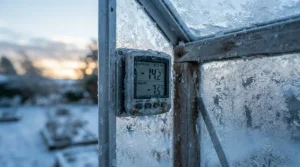
Greenhouse Min-Max Thermometer for Tracking Temperature Swings
A min-max thermometer records the coldest and warmest readings since you last reset it. That is exactly what you need to understand swings, because the average temperature hides the damage. A 24°C afternoon and a 3°C night average out to a pleasant 13°C, yet your peppers still got chilled.
A greenhouse min-max thermometer for tracking temperature swings also reveals how well your greenhouse holds heat. A big gap between daily high and low means thin glazing, poor thermal mass or leaky vents. Extension writers note that lowering the 24-hour average, for example by reducing night temperature, helps keep plants from turning thin and spindly under heat and high light.
Among our seven, the ThermoPro TP357 is the simplest greenhouse min-max thermometer for tracking temperature swings, with stored max/min records and a bright LCD. The Wi-Fi sensors, such as the Govee H5179 and Inkbird IBS-TH3 Plus, give you the same insight through graphs and exported history. A practical routine: note the overnight low each morning for two weeks, then compare it to your seedling’s minimum. That one habit often justifies a cheap thermal-mass upgrade like water barrels.
Greenhouse Thermometer with Humidity Sensor: Why RH Matters
Temperature is the headline, but humidity is the plot twist. A greenhouse thermometer with humidity sensor tells you when conditions invite fungal disease, because relative humidity climbs as the air cools overnight. Research from the University of Saskatchewan found that excessive humidity occurred in the greenhouses it studied almost year-round, with dehumidification needed mainly at night and early morning, as described in this thesis on greenhouse humidity control.
Many growers aim for roughly 60-80% daytime relative humidity, since botrytis risk rises above about 80%. The reverse problem exists too. A small greenhouse in summer can drop below 30% RH when temperatures pass 30°C and you throw the doors open, an issue Greenhouse Canada has explained for smaller operations.
Choosing a greenhouse thermometer with humidity sensor means trusting the numbers in damp air. The SensorPush HT.w carries the tightest listed humidity tolerance (±2%), while the Temp Stick is rated to ±4% only below 80% RH. If your priority is catching condensation trouble, put one sensor at canopy height, where leaves transpire, rather than near the door.
Wireless Sensors vs Traditional Greenhouse Thermometers
Old-school glass and dial thermometers still work, but they can’t text you. Modern wireless sensors turn guesswork into a timeline.
| Factor | Traditional Thermometer | Wireless Sensors |
|---|---|---|
| Remote visibility | None; you must walk out | Phone, anywhere with signal |
| History | Manual notes | Automatic graphs and export |
| Alerts | None | Push, email or SMS |
| Best for | Quick local check | Frost and heat protection |
| Typical cost | Very low | Low to moderate |
The table makes the trade obvious. The ThermoPro TP357 sits in the middle, with the display of a traditional unit plus app history. For anyone who has lost a flat of seedlings to a cold snap, the alert capability alone justifies moving up. Keep a cheap analog thermometer as a sanity check for calibration anyway.
Real-Time Alerts and Smartphone App: What Actually Matters
A smartphone app can be beautiful and still fail the one job that counts. Real-time alerts only help if they arrive when you can act. Push notifications can be missed on silent, which is why the YoLink Temperature & Humidity Sensor offers a critical-alert option on iOS and the Temp Stick adds text messages.
Look at three app features first. Threshold control lets you set separate high and low limits for temperature and humidity. History and export let you review nights, not just moments. Multi-user sharing lets a partner or neighbour receive alerts when you’re away.
Also remember sleep-mode behaviour. Low-power sensors report on a schedule, and the standard YoLink Temperature & Humidity Sensor may update slowly unless conditions shift. Shorter reporting intervals drain batteries faster, such as the Inkbird IBS-TH3 Plus lasting about three months at its default setting. Pick an interval of 10 to 15 minutes for greenhouse protection, then tighten it only during frost season.
Features That Actually Matter (And Those That Don’t)
Marketing loves a long feature list. Here is the filter.
Matter: accuracy that holds in damp air, reliable alerts, battery type that suits cold, and a range test in your actual greenhouse. Calibration offsets, like those on the Inkbird IBS-TH3 Plus, also matter because no consumer sensor is perfect out of the box.
Barely matter: comfort-level icons, fancy colours and voice-assistant readouts. Alexa support on the Govee H5179 is a nice extra, but it won’t save a crop. A bright screen is helpful, yet it is secondary to getting the alert.
One more overlooked point is expandability. Starting with the Ecowitt GW1200 with WN31 Sensors lets you add cheap zones later, while a single-purpose sensor might leave you buying a second ecosystem.
✨ Don’t Miss These Exclusive Deals!
🔍 Take your greenhouse monitoring to the next level with these carefully selected sensors. Click any highlighted product name to check current pricing and availability. A few dollars of hardware can protect an entire season’s worth of seedlings and keep your plants thriving through the next cold snap!
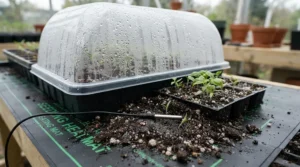
Practical Usage Guide: Setup, Placement and the First 30 Days
Good hardware can still give bad data if it’s placed badly. Follow this sequence.
Day 1: placement. Mount one sensor at canopy height and, if you have two, one near the roof peak. Keep sensors out of direct sun and away from heaters, vents and the glazing itself, which skews readings. Shelter indoor-rated units such as the Govee H5179 and Inkbird IBS-TH3 Plus from drips.
Day 2: signal test. Check the app from the far corner of the yard before you glue anything down. For Wi-Fi, 2.4 GHz is required for most models here.
Week 1: calibrate. Compare readings against a trusted thermometer and apply offsets if the app permits. Let each unit settle for a few minutes first, since some sensors respond slowly after sudden changes.
Week 2: set alerts. Use a low-temperature alert about 3°C above your crop’s damage point, so you have time to act. Add a high alert near 30°C, since leaf and fruit surface temperatures can run several degrees above air temperature, as Greenhouse Canada’s heat-stress guidance documents.
Common first-month mistakes: skipping a lithium battery upgrade, ignoring low-battery notices and putting the sensor on the floor, where cold air pools.
Real-World Scenarios: Matching the Right Sensor to Your Greenhouse
Scenario 1: The balcony-sized cold frame, C$100 budget. You grow herbs and early lettuce in a small unit behind the garage, 15 m from your router. The Govee H5179 two-pack gives you remote alerts for two zones and 90% of the benefit of premium units.
Scenario 2: The backyard hobby greenhouse, 10 m by 4 m. You grow tomatoes and peppers, with a heater on a thermostat. A Temp Stick gives you frost insurance with text alerts, while a ThermoPro TP357 inside records overnight lows for tuning your heater.
Scenario 3: The rural property with a far-off greenhouse. The structure sits 80 m from the house, behind a metal shed. The YoLink Temperature & Humidity Sensor with Hub is the sensible option because LoRa range handles distance and obstacles better than Wi-Fi.
Scenario 4: The multi-bed tinkerer. You want canopy, soil-bed air, cold frame and outdoor readings in one dashboard. The Ecowitt GW1200 with WN31 Sensors adds each zone for a few dollars, and the SensorPush HT.w can serve as your accurate reference sensor.
Common Mistakes When Buying a Greenhouse Thermometer with Remote Monitoring App
The first mistake is confusing Bluetooth with remote. Many “app” thermometers only connect within phone range, so check for a Wi-Fi, gateway or hub. The second is trusting a humidity spec in the wrong range, since several sensors are rated only below 80% RH.
Third, many buyers forget the 2.4 GHz requirement and spend an evening failing to pair a sensor with a 5 GHz-only network. Fourth, alkaline batteries in winter can quit early, so choose lithium cells or a rechargeable model such as the Inkbird IBS-TH3 Plus.
Fifth, relying on one sensor. A single reading can’t separate a warm roof from a cold floor. Finally, never skip the alert test: deliberately breach a threshold with a bag of ice and confirm the notification actually arrives. That ten-minute check prevents the worst surprise of the season.
Long-Term Cost & Maintenance
Cheap upfront is not always cheap over three seasons. Consider batteries, replacements and the value of what you’re protecting.
| Product | Upfront (CAD) | Ongoing Cost | Value Verdict |
|---|---|---|---|
| Govee H5179 | C$70-C$100 (2-pack) | AA batteries, about every 7 months | Excellent starter value |
| SensorPush HT.w | C$210-C$290 incl. gateway | Coin cell, about 1-2 years | Premium accuracy |
| Temp Stick | C$200-C$230 | Lithium AAs, about a year | Pricey but dependable |
| YoLink Temp & Humidity | C$110-C$180 | Long battery life | Best for range |
| Ecowitt GW1200 + WN31 | C$45-C$65 + sensors | AA batteries | Best per-zone cost |
| ThermoPro TP357 | C$15-C$30 | One AAA | Cheap companion logger |
| Inkbird IBS-TH3 Plus | C$35-C$55 | Recharging every few months | Budget convenience |
The table shows that the Ecowitt GW1200 with WN31 Sensors wins once you cover three or more zones, because each additional sensor costs very little. The Temp Stick looks expensive until you weigh it against the cost of a lost crop. Cost per protected season, not sticker price, is the fair test. Wipe sensors gently each autumn and replace batteries before the first frost, rather than after the first alert fails.

FAQ
❓ Can a greenhouse thermometer work if my greenhouse is outside Wi-Fi range?
❓ Do greenhouse thermometers with humidity sensor need calibration?
❓ How often should wireless sensors report in a greenhouse?
❓ Will batteries survive a Canadian winter inside a greenhouse?
❓ Are real-time alerts free, or do they need a subscription?
Conclusion
The best greenhouse thermometer with remote monitoring app is the one that reaches you when it matters. For most backyard growers, that is the Govee H5179: cheap, simple and genuinely useful. Pay more for the Temp Stick if frost texts are non-negotiable, or for the SensorPush HT.w when accuracy in damp air is the priority. Choose the YoLink Temperature & Humidity Sensor with Hub for distance, the Ecowitt GW1200 with WN31 Sensors for many zones, and the ThermoPro TP357 as the cheap logger. The Inkbird IBS-TH3 Plus is a fair rechargeable extra.
Whichever you pick, place sensors at canopy height, test the alerts with ice, and set limits a few degrees ahead of danger. A few hundred dollars of sensors is small insurance for a season of work, and the best time to set them up is before the first cold night, not after it.
✨ Ready to protect your harvest?
Click any highlighted product name above to check current pricing and availability, and give your greenhouse the smartest watchdog it has ever had!🌱📱
Recommended for You
- Digital Greenhouse Thermometer Vs Analog Greenhouse Thermometer 2026
- Greenhouse Exhaust Fan For Humidity Control: 7 Best Picks 2026
- Greenhouse Ventilation Fan: 7 Best Picks For Canada (2026)
Disclaimer: This article contains affiliate links. As an Amazon Associate, I earn from qualifying purchases. If you purchase products through these links, we may earn a small commission at no additional cost to you.
✨ Found this helpful? Share it with your friends! 💬🤗
